Features
Every tool you need to write better
Six AI-powered actions, context-aware suggestions, and family-safe enforcement. All inside your browser, on every website you use.
Install Extension - It's FreeSix powerful actions, one click away
Select any text on any website and instantly access every tool you need. No tab switching, no copy-pasting.
Rewrite
Instantly rewrite any selected text to sound exactly how you want. Seven tones to choose from.
Grammar Fix
Fix grammar, spelling, punctuation, and style in one click. Your voice stays intact, just cleaner.
- ✓ Grammar and spelling
- ✓ Punctuation and sentence flow
- ✓ Style and clarity
Generate
Overcome the blank page. Generate emails, replies, social posts, and more from templates or freeform prompts.
- ✓ Built-in templates
- ✓ Freeform prompts
- ✓ Context-aware output
Translate
Translate selected text into 18 languages with one click. Set your preferred language once and WriteMate.io remembers it.
English, Spanish, French, German, Italian, Portuguese, Arabic, Chinese, Japanese, Korean, Russian, Hindi, Dutch, Swedish, Polish, Turkish, Indonesian
Refine
Not quite right? Give the AI a follow-up instruction and iterate until the output is exactly what you need.
- ✓ "Make this shorter"
- ✓ "Add a formal closing"
- ✓ "Sound more confident"
Listen
Select any text and hear it spoken aloud instantly. Great for proofreading, reviewing output with your ears, or accessibility.
- ✓ No plugins or downloads needed
- ✓ Works in any language
- ✓ Ideal for accessibility
See it in action
Two interfaces that meet you exactly where you write — no tab switching, no copy-pasting.
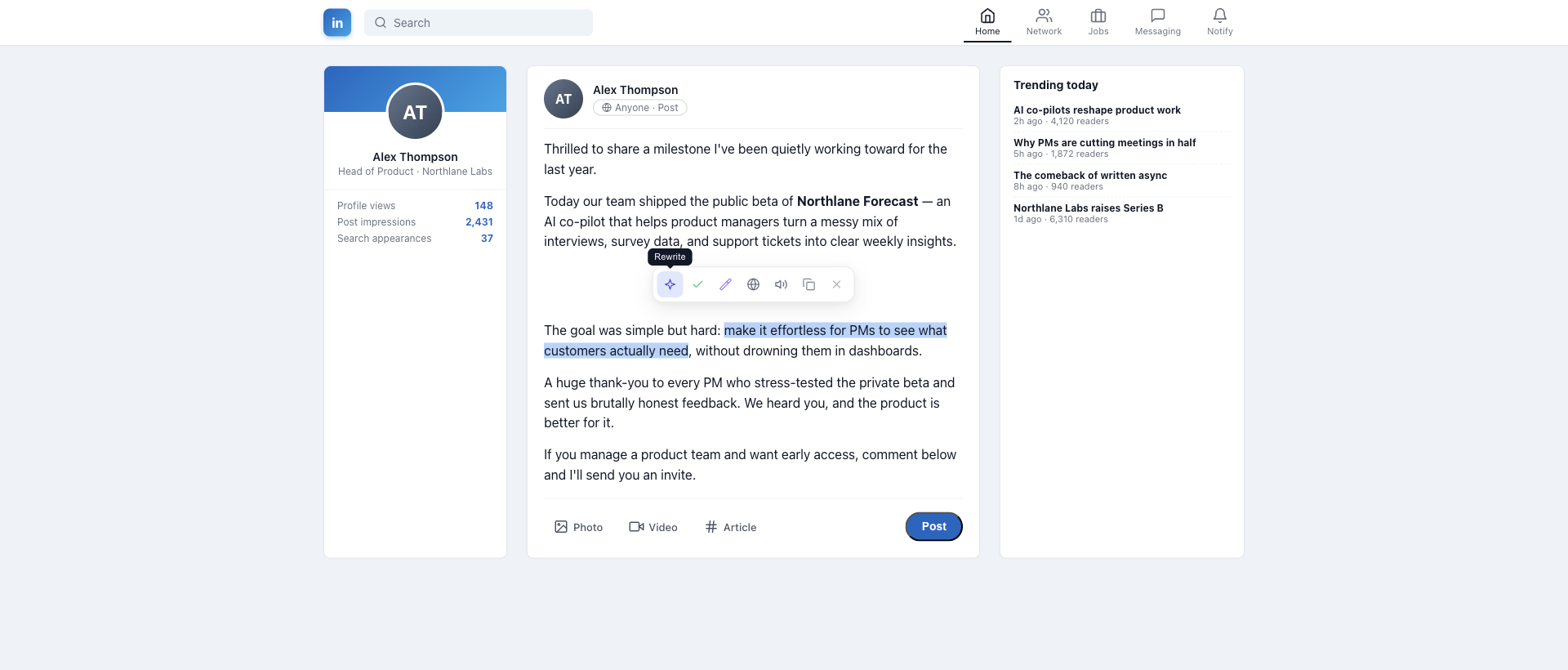
Floating toolbar
Select any text and every action is one click away — Rewrite, Grammar Fix, Generate, Translate, Read.
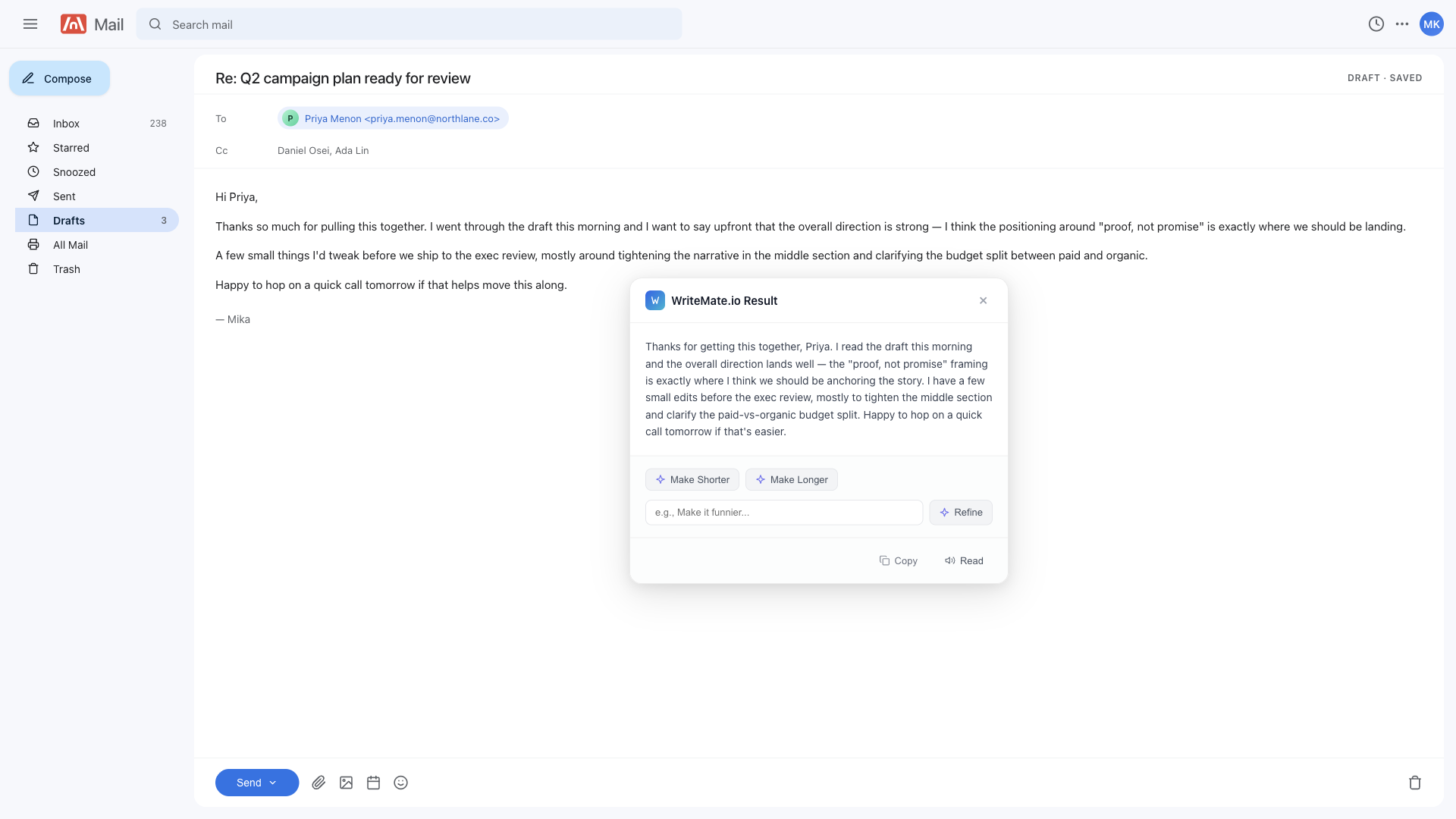
Result panel
Review the output, refine with a follow-up instruction, and decide before anything replaces your draft.
Built into your workflow
WriteMate.io lives where you already write. Three ways to trigger it, zero friction.
Floating Toolbar
Select any text on any page and a toolbar appears with all available actions. No shortcuts to memorize.
Text Field Icon
An icon appears next to any editable field you click into. Generate or rewrite content directly in emails, forms, and editors.
Right-Click Menu
Access WriteMate.io from the browser context menu on any selected text, even on sites where the toolbar is unavailable.
AI that understands where you are
WriteMate.io reads the page around you so its suggestions are always relevant. You control exactly how much context it uses.
Site and field only
Knows the website and the type of field you are editing. Minimal data sent.
Surrounding content
Also reads nearby text and the message you are replying to for smarter rewrites and replies.
Full page
Reads broader page content for the most contextually relevant output possible.
Everything you need in the toolbar popup
Click the WriteMate.io icon to launch a quick action, replay recent work, or tune the AI to your taste.
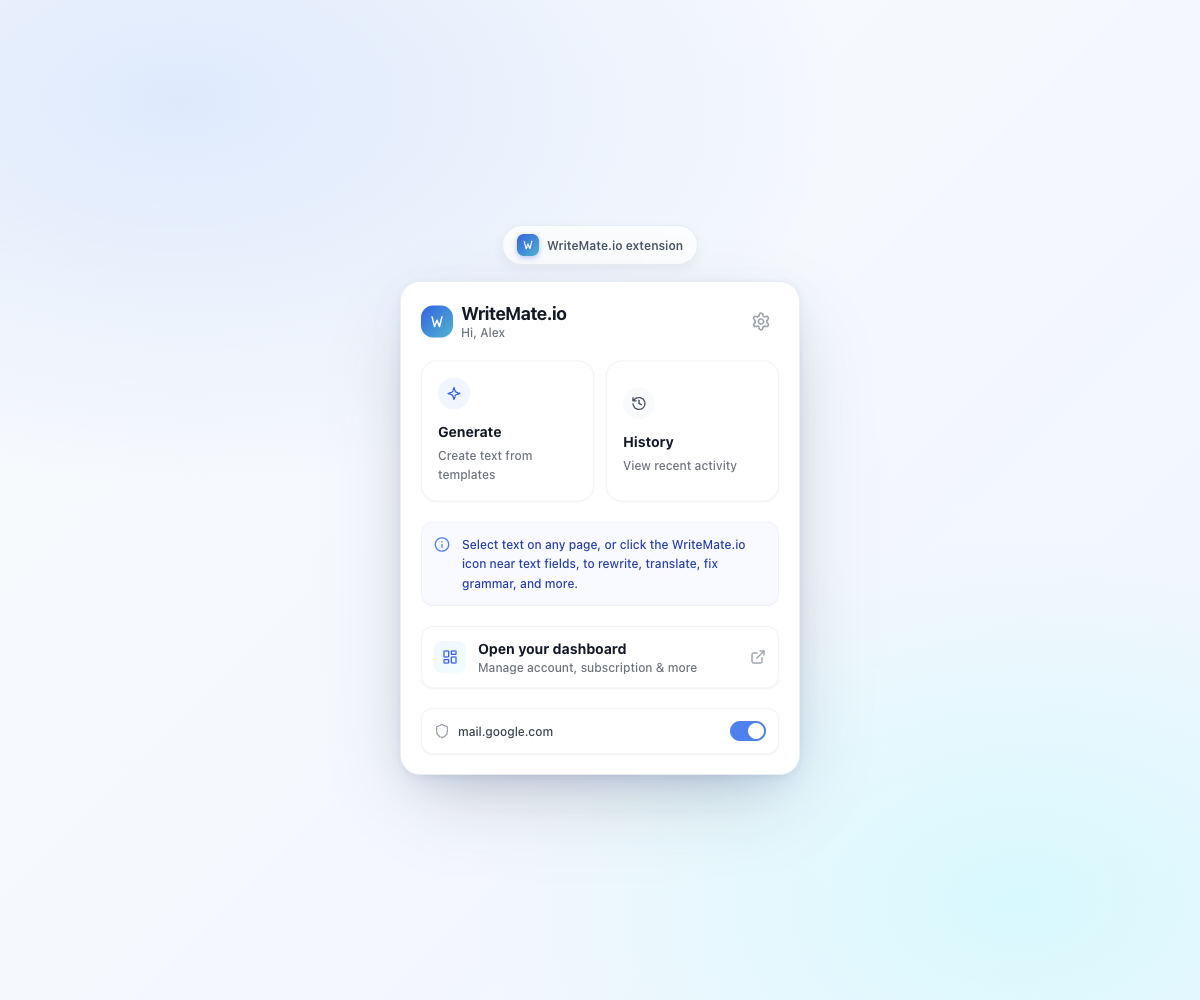
Home
Quick access to Generate, History, and your dashboard.
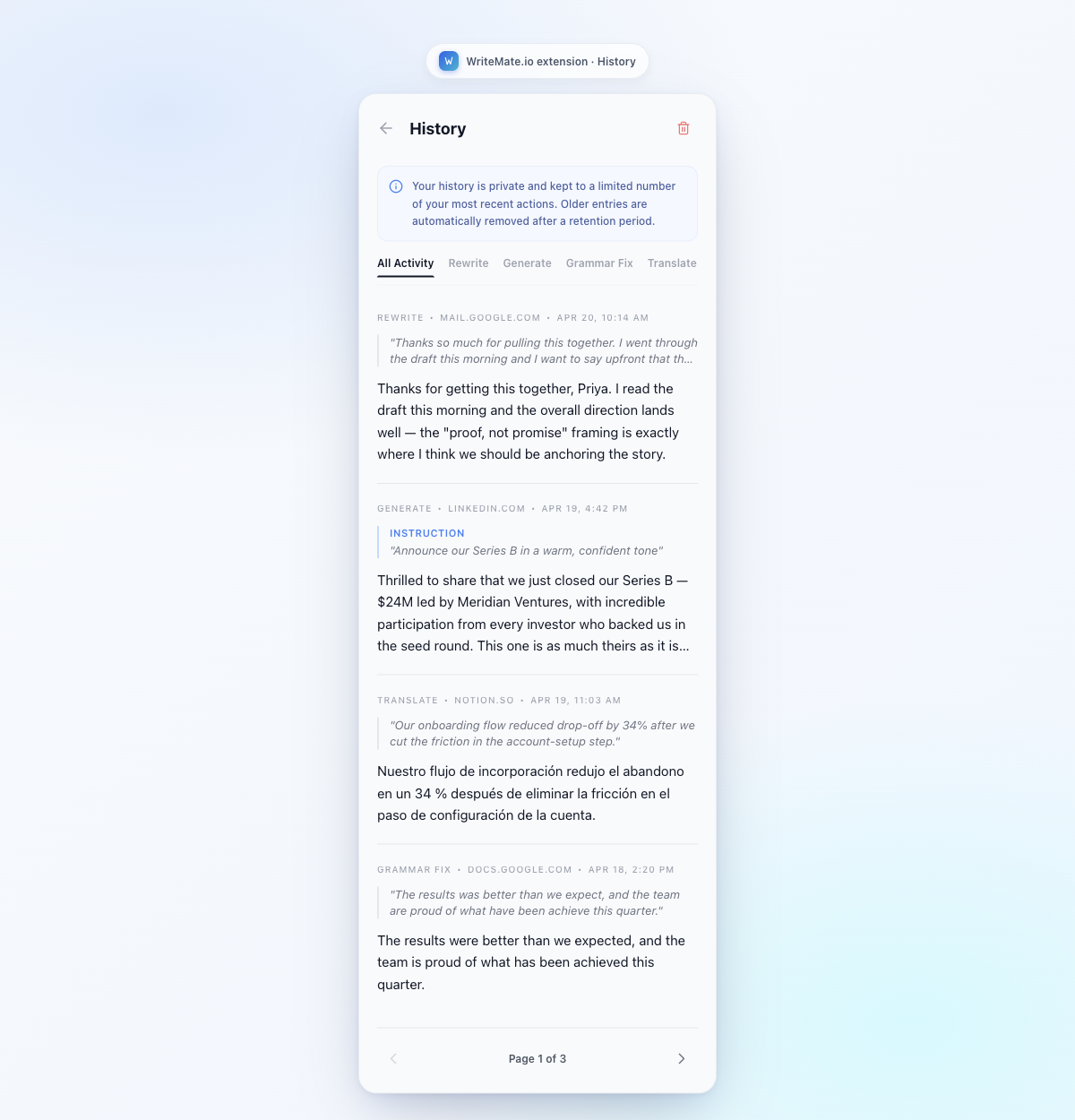
History
Replay, filter, or delete any recent AI action — encrypted and private.
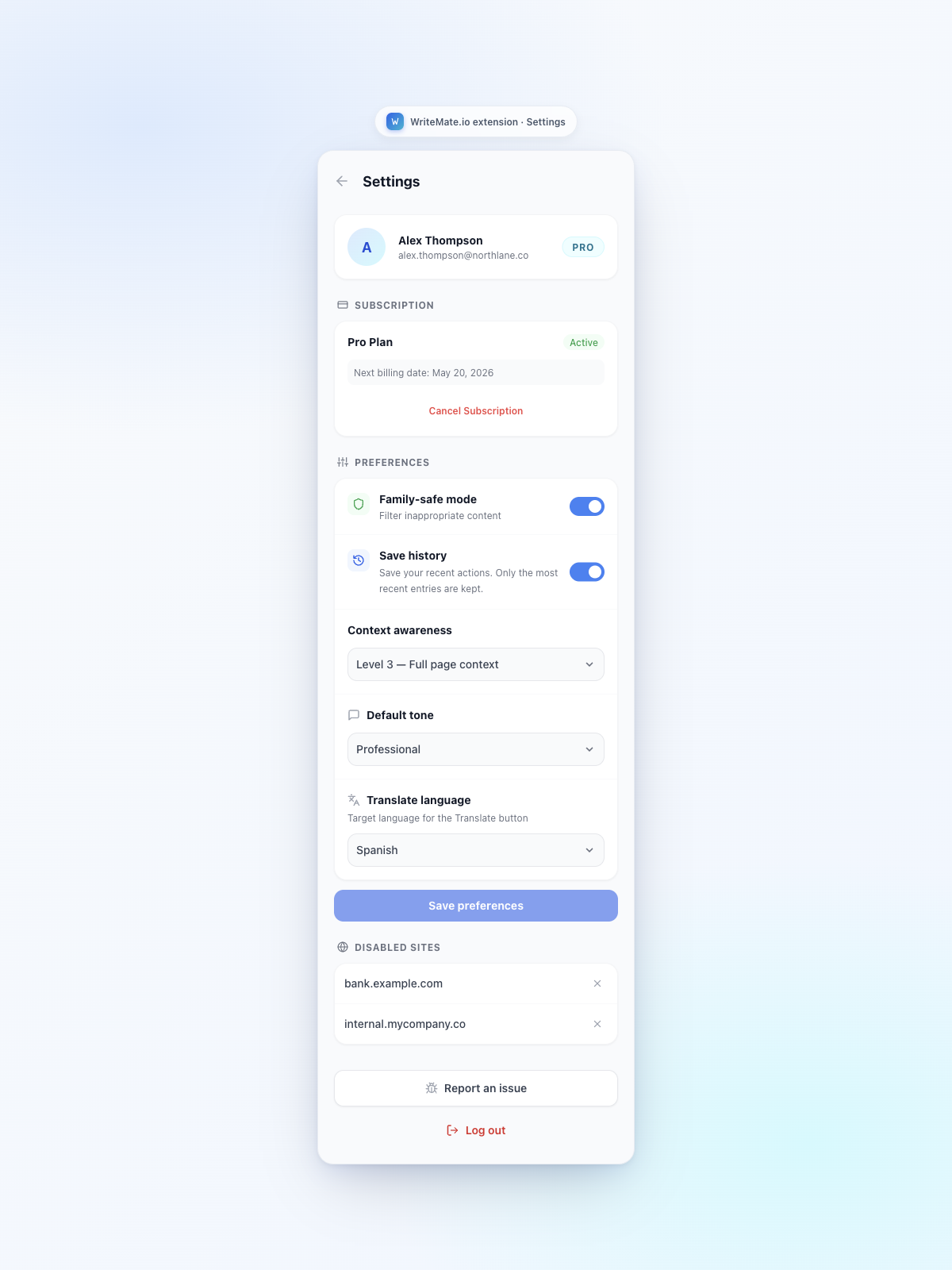
Settings
Tone, language, context level, and per-site controls in one place.
Safe by design, not by accident
Your text never appears in our logs. Every protection is built into the architecture, not bolted on.
Family-Safe by Default
All users start with strict content filtering. Profanity, hate speech, and inappropriate content are blocked automatically.
No Raw Text in Logs
We never write your input or AI output to system logs. Your writing stays yours, full stop.
Encrypted History
History is encrypted at rest and user-deletable at any time.
No Account Required
Start immediately. Anonymous usage is tied to a temporary session ID that is purged after 7 days.
Hard Blocks, Always On
Content exploiting minors, facilitating real-world harm, or enabling fraud is blocked for every user, regardless of settings.
Configurable Safety
Registered users can adjust content filtering for legitimate professional use cases like fiction writing or adult-context work.
Start writing better today
Free to install. No account needed to get started.